多媒体管理工具的设计与实现
2021-09-13邹珺
邹珺
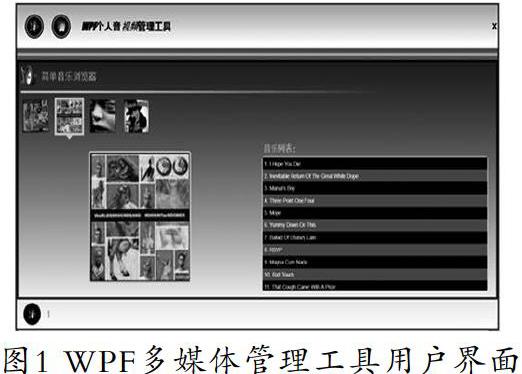
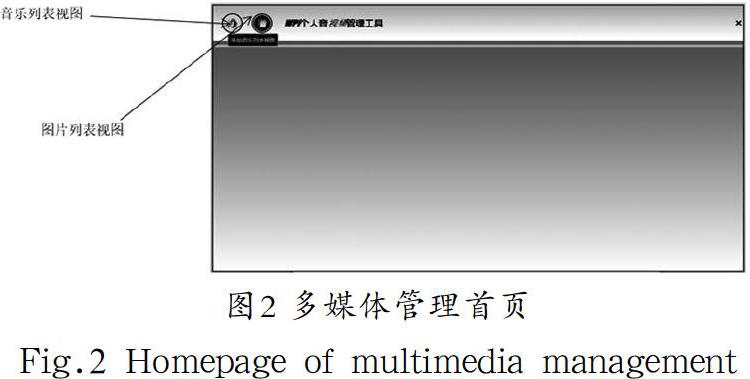
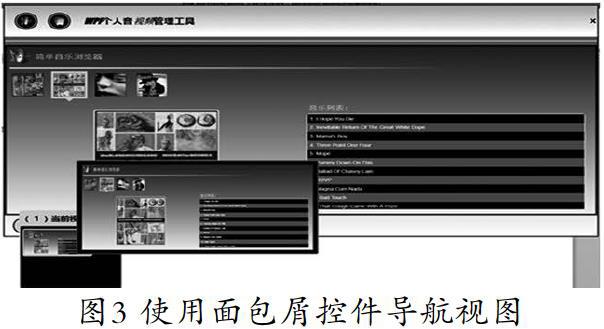
摘 要:当前很多软件系统的UI界面越来越多地使用了音视频、图片等多媒体文件,为了让用户方便、有效地管理多媒体文件,多媒体管理工具能对音视频、图片文件进行分类管理,能够查询文件,浏览、删除文件列表视图,查看文件详细信息,实现自定义的定制视图等功能。本文主要描述基于MVVM模式,使用WPF框架对多媒体管理工具进行开发和设计,通过面包屑视图控件实现视图导航,结合ListBox显示音视频、图片信息,实现多媒体管理工具的主要功能。结果表明,该工具强大的视觉设计特性实现了具有现代感的交互体验,满足了用户追求现代时尚的心理需求,也更好地实现了多媒体文件的有效管理。
关键词:多媒体管理工具;MVVM;WPF;面包屑
中图分类号:TP312 文献标识码:A
文章编号:2096-1472(2021)-09-44-04
Abstract: At present, more and more multimedia files such as audio, video and pictures are used in User Interface (UI) of many software systems. In order to make it convenient and effective for users to manage multimedia files, multimedia management tools can classify audio, video and picture files, query files, browse and delete file list views, view file details, and implement user-defined views. This paper mainly proposes to develop and design MVVM-based (Model-View-ViewModel) multimedia management tools using WPF (Windows Presentation Foundation) framework. Main functions of multimedia management tool are achieved by using breadcrumb view control to realize view navigation and ListBox to display audio, video and picture information. The results show that the powerful visual design features of the tool realize a modern interactive experience, meet the psychological needs of users in pursuit of modern fashion, and better realize effective management of multimedia files.
Keywords: multimedia management tools; MVVM; WPF; breadcrumbs
1 引言(Introduction)
WPF(Windows Presentation Foundation)的出現带来了桌面级应用软件的技术革新,传统的Windows Forms技术已经有些力不从心。微软渐渐地放弃了Windows Forms平台上的进一步开发,将重心转向了WPF上面。WPF为用户界面、2D/3D图形文档和媒体等提供了统一的描述和操作方法,不再像Windows Forms那样基于GDI+,而是基于DirectX 9/10技术,使用WPF开发的用户界面不仅具有漂亮的外观,而且还可以为用户界面应用3D效果。现代软件的UI已经不是十年前所能比拟的了,Windows 10的软件界面已经达到了绚丽的标准。如果要在UI界面上添加3D、音频或视频等功能,会耗费技术人员很多时间和精力,而且还达不到预期的效果,而利用WPF中的资源、样式、模板、数据绑定等技术,能够实现具有超绚效果的音乐图片管理工具,通过其强大的视觉设计特性来实现具有现代感的用户界面[1]。……